
Get your token first — see Get your access token. You need it in hand, because it is shown only once.
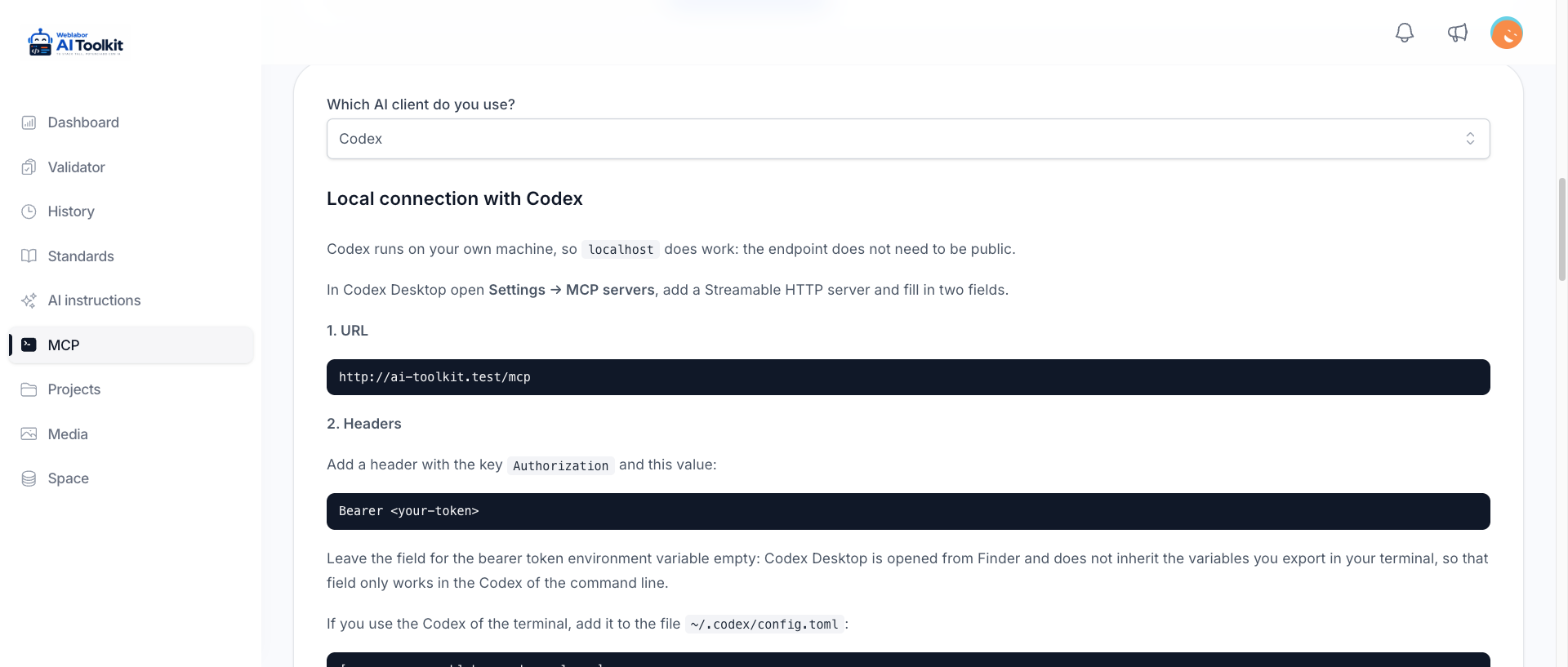
On the MCP page, pick Codex under "Which AI client do you use?". The page then shows the endpoint URL of this server, ready to copy.
Codex Desktop
Open Settings → MCP servers and add a Streamable HTTP server. Two fields:
| Field | Value |
|---|---|
| URL | the endpoint the MCP page shows |
| Headers | key Authorization, value Bearer <your-token> |
Leave Bearer token environment variable empty. Codex Desktop is opened from Finder, so it does not inherit the variables you export in your terminal; that field only works in the command-line Codex.
Terminal Codex
Add the server to ~/.codex/config.toml:
[mcp_servers.weblabor_code_analyzer]
url = "<the endpoint the MCP page shows>"
bearer_token_env_var = "WEBLABOR_ANALYZER_TOKEN"
default_tools_approval_mode = "approve"
The token is not written into the file. Export it in the same shell you launch Codex from:
export WEBLABOR_ANALYZER_TOKEN="<your-token>"
Do not restrict the tools
Do not add enabled_tools with a short list. Cutting the server down to validate_code blocks install_toolkit, get_standard and get_guide, which are what make the rest of this work.
Check the connection
Ask Codex to run list_rules. It should come back with the configured rules, which confirms both that the token works and that the analyzer is set up.
To test the token before configuring Codex at all, run this in your terminal. The response contains serverInfo:
curl -X POST <the endpoint the MCP page shows> \
  -H "Authorization: Bearer <your-token>" \
  -H "Content-Type: application/json" \
  -d '{"jsonrpc":"2.0","id":1,"method":"initialize","params":{}}'
When it does not connect
| What you see | Cause | Fix |
|---|---|---|
| Every call fails as if the token were wrong | the endpoint is the http URL, and the redirect strips the Authorization header and the body |
use the https URL |
| The desktop app fails but the terminal works | Bearer token environment variable was filled in on the desktop | clear it and add the Authorization header instead |
| Codex says a tool does not exist | the server is restricted to a subset of tools | remove enabled_tools, then ask Codex to list the tools it can see |
Next
Install the toolkit — the agents and commands land under ~/.codex, written by Codex itself.