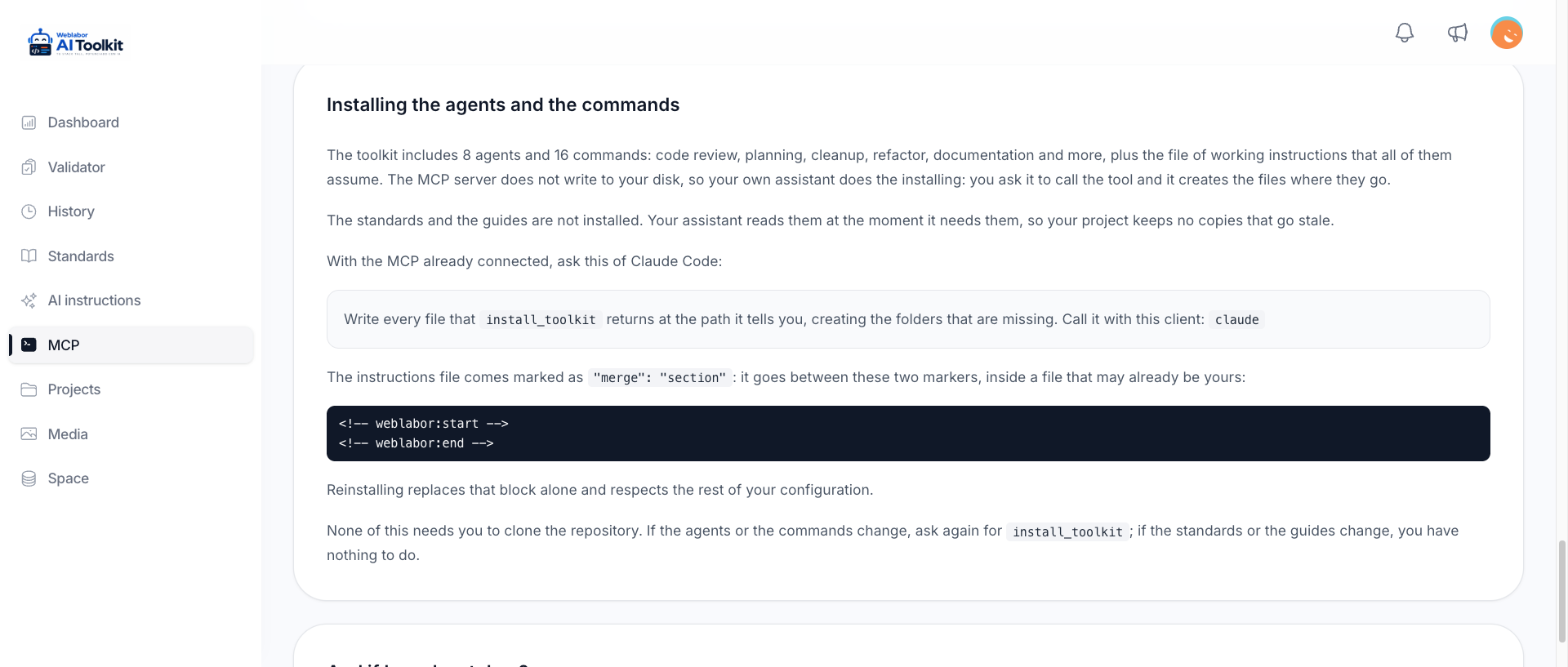
The agents and commands are written once and handed to your client in the shape that client expects. An MCP server cannot write to your disk, so the writing is done by your own assistant: you ask it to call the tool, and it creates the files where they belong.
Connect your client first — Claude Code, Claude, Codex, Cursor, VS Code, Gemini CLI or DeepSeek Harness.
Not every client gets the same thing. The analyzer, the standards and the guides work from all of them: they are read through the server's tools and nothing is written to your disk, so there is nothing to install for them. The agents and the commands are files, and they are written in the shape each client expects — a shape that exists today for three clients only: Claude Code, Codex and DeepSeek Harness. From Cursor, VS Code or Gemini CLI, the rest of this page does not apply yet.
Claude's remote connector is a case of its own. It runs on Anthropic's infrastructure rather than on your machine, so it can call every tool but has no disk of yours to write to. Connected that way you get the analyzer, the standards and the guides, and you install the agents and commands from a client that runs where your files are.
Ask for it
With the server connected, ask your assistant:
Call install_toolkit with client: "claude" and write every file it returns to the
path it names, creating any missing folders.
Use "claude" for Claude Code, "codex" for Codex and "dsh" for DeepSeek Harness. The MCP page shows this same instruction with your client already filled in.
What lands on disk
Everything goes into your AI client's own configuration folder, in your home directory. Nothing is written into the project you are working on.
| Client | Agents | Commands | Workflow instructions |
|---|---|---|---|
| Claude Code | ~/.claude/agents/<name>.md |
~/.claude/skills/<name>/SKILL.md |
~/.claude/CLAUDE.md |
| Codex | ~/.codex/agents/<name>.toml |
~/.codex/skills/<name>/SKILL.md |
~/.codex/AGENTS.md |
| DeepSeek Harness | ~/.dsh/skills/<name>/SKILL.md |
~/.dsh/skills/<name>/SKILL.md |
~/.dsh/AGENTS.md |
The workflow instructions are the rules every agent assumes. That file is merged rather than overwritten: its content sits between a weblabor:start and a weblabor:end marker, written as HTML comments, inside a file that may already be yours, so reinstalling replaces that block and leaves the rest of your own configuration alone.
The response also names the files of agents and commands that have been retired, so your assistant can delete the ones an earlier install left behind.
When the repository still keeps its vision, its pending findings, its plans or its business analyses under docs/<project>/, reinstalling moves them to the toolkit, into the project named after the repository folder: the plans keep their number and their status and take the branch you are on, the rest keeps its status and takes no branch. A document that already exists in the toolkit is not overwritten — your assistant tells you which ones, and leaves those in the repository. The ones it moved are removed from the repository in one commit. From then on you find them in Your projects and their documents.
What is not installed
The standards and the guides stay on the server. Your assistant reads them when a task needs them, which is why they can never go stale in your project — and why there is nothing to pull when a rule changes.
Check it landed
Ask your assistant to run these, in this order:
list_rules— confirms the token works and the analyzer is configuredlist_standards— lists the standard categories with their rule countslist_guides— lists the guideslist_agents— lists the agents and commands
Then look at where the files went. They should be under your client's own folder and not inside the project you are working on. If they were copied into the project, the assistant misread the instruction: delete them and ask again, saying explicitly that the paths returned by install_toolkit are the paths to use.
Tell your assistant to use the analyzer
Installing the agents does not by itself make every task get checked. Add this to your project instructions once the client is connected — the MCP page shows it with the wording for your client:
Before finishing changes to Laravel, Livewire, Blade, Tailwind or Alpine files, call
validate_codewith the path and the final content. Fix the errors it reports; review and explain any warning you decide to keep.
Keeping it current
| What changed | What you do |
|---|---|
| A standard or a guide | Nothing. They are read from the server on every use, so the change is live the moment it is published. |
| An agent or a command | Usually nothing: your assistant reinstalls on its own, as described below. You can always ask for install_toolkit again; reinstalling overwrites the copies in your client with the current ones. |
The installed workflow instructions carry a line such as Weblabor toolkit version: 0a589eff, the version the copy was cut from. Every time your assistant connects, the server tells it which version it is serving and asks it to call install_toolkit and write the files again before following any workflow when the two differ, or when its instructions declare no version at all. So once the toolkit moves on, the next session notices and reinstalls without you asking.
When the two versions match, there is nothing to do and nothing to say: your assistant installs nothing and leaves the version out of what it reports back to you, unless you ask about it.
Your assistant can also send the version its copy declares when it calls install_toolkit, as version: "0a589eff". When that is the version the server is serving, the answer is a short already up to date, with no files to write. Any other version, or none at all, gets the full install, the same as always.
A client without a file layout — Cursor, VS Code or Gemini CLI — is told something different: call install_toolkit only to read the workflow instructions file, write no file and delete nothing, and follow the installation guide the server serves with get_guide.
Two symptoms mean an old install: the assistant goes looking for the standards as files inside your project, or it asks for a sibling ai-toolkit repository. Both are an assistant following instructions from before this setup existed. Reinstall, and it will name get_standard and get_guide instead of file paths.