
Seventeen commands, one for each kind of work
Once the toolkit is installed, your assistant has seventeen commands. Each one covers one kind of work and says out loud when the work belongs to a different one, so you are never left choosing between two that overlap.
You rarely have to type them. When what you ask for matches a command's trigger, your assistant picks it on its own — describing a feature you want built starts the implementation command without you naming it. Typing the name is how you overrule that choice, not how you make it.
If the toolkit is not installed yet, start at Install the toolkit.
The commands
They are listed in the order most work meets them: deciding what the product is, pricing it, planning it, building it, checking it, keeping it clean, and publishing it. The last three work with your project's own commands and documents in the toolkit.
| Command | What it is for | Reach for another when |
|---|---|---|
/vision |
Writes down the product decisions the project is built against: who it serves, how it speaks, what it will never do. Write the product vision | You want one feature planned rather than the product settled. |
/quote |
Separates what already exists from what is new and groups the work into blocks you can put a price on. | You need the technical approach rather than the shape of the quote. |
/plan-prompt |
Works out how a change would be built and hands you an implementation prompt to run later. Unless the change is small enough for the direct route, the prompt closes with a technical plan the build follows as guidance, and a change you will see is drawn as it is today and as it would look, for you to approve before anything is built. Planning before building | You want it built now, not thought through first. |
/develop |
Builds the change: confirms the scope, implements it, validates it, commits it. | You only want the approach, or the work is already planned and queued. |
/test |
Opens the screen in a real browser and walks the plan point by point: a pass or a fail for each point, and one verdict for the plan. Verify a plan with /test | You want the automated test suite, or a check against the standards. |
/next |
Runs the plans already queued and marked ready, building and verifying each. Each plan is built in its own worktree, up to six side by side, and checked in the browser in batches; only when your assistant cannot work that way does it go one at a time. It picks up plans you save or unblock while it runs, and it never stops to ask: a question only you can settle is written into the plan for you to answer in another conversation, and the rest of the queue keeps going. | You are describing one task right now instead of working a queue. |
/review |
Inspects a file or a module against the standards and fixes what it finds. | The whole project needs it, or the code does not exist yet. |
/cleanup |
Cleans the whole project in small validated groups without changing how it behaves. | Something is broken rather than untidy, or only one file is in question. |
/design-catalog |
Acts as the product's design lead: keeps your identity manual, proposes the fewest components, the landing and the layout redesign, and writes the plans by area that /next builds and has reviewed for design. It builds nothing itself. Design a product catalogue |
The shared standard is what needs changing, or the project only needs tidying. |
/coordinate |
Carries a goal that needs changes in several repositories — weblabor-base, weblabor-teams and your product — to the end: it interviews you until nothing is left in doubt, writes the plan each repository needs and one last plan that checks the goal in your product, and keeps watching every queue, answering what blocks them and bringing each finished change down to the repository below. It builds nothing itself and pushes nothing. Coordinate a goal across repositories | The change lives in one repository and needs no one following it: /plan-prompt plans it. |
/repair-project |
Repairs a project that stopped working after a merge, an upgrade, a branch divergence or a copy. | Nothing broke and you only want the code tidier. |
/document |
Writes the developer documentation for something already built. | What is missing is the help a user reads, not the developer manual. |
/finish |
Publishes the work: the changelog entry when you are on the main branch, plus a sweep of what shipped without the documentation it owed — a hand edit, or a change made before any of this ran — and the features page of your landing kept true to what was built. On the main branch it also deletes the plans and coordination documents whose work has reached it. It asks nothing: it covers what arrived since the last changelog entry, usually your last merge. | The work is not built yet, or not verified yet. |
/improve-toolkit |
Fixes the toolkit itself when a rule flagged correct code, missed wrong code, or was not followed. Report a wrong finding | The problem is in your own project's code rather than in a rule. |
/call |
Runs one of your project's internal commands: /call <name> followed by the information it receives. With no name it lists them. |
The command does not exist yet, or needs changing. |
/make-command |
Builds or changes one of your project's internal commands, asking only what is missing and saving it once you approve the text. | You want to run the command, not write it. |
/cloud-doc |
Reads, creates and keeps saving a working document of your project in the toolkit — a research, a functions manual, notes for later. With no path it lists the project's documents. | The document is code documentation or a user manual, which stays in your repository, or an internal command. |
The three that are easy to confuse
/review and /cleanup. Both read existing code against the standards. /review answers a narrow question — this file, this module, this change. /cleanup sweeps the whole project in order, keeps a per-file ledger so nothing is silently skipped, and commits each validated group. Ask for one file and you want the first; ask to leave the project in good shape and you want the second.
/cleanup and /repair-project. /cleanup starts from a project that works and leaves it cleaner. /repair-project starts from one that used to work and does not any more, compares it against a known-working source, and makes the smallest fixes that bring it back.
/document and /finish. /document writes the developer manual. /finish is what you run when the work is done and tested: it writes the changelog entry and sweeps the history for what shipped without the documentation it owed, adding to your landing's features page what it does not present yet. A change's documentation is written by /develop in the same run that builds it; /finish is what catches the ones that got in another way. Run from your main branch, it also deletes each plan whose commits reached it, with the drawing saved beside it when it has one, finding them by the plan's number. A plan renumbered by Delete finished after it was built may stay, because its commits still carry the number it had before: /finish names it among the plans it kept, and you delete it by hand once its code is on your main branch. The opposite can happen too, and is described in Your projects and their documents.
Who each command hands work to
A command passes parts of its work to the agents described in The agents behind a command. This is who each one calls. "When the analyzer is down" marks the stand-in review, which runs only when the analyzer cannot be reached.
| Command | Agents it calls |
|---|---|
/vision |
analyst, documenter |
/quote |
analyst |
/plan-prompt |
analyst, and ux-designer when a change's design has more than one way to go |
/develop |
analyst, developer, documenter |
/test |
analyst, ux-designer — neither when /next builds its plans in worktrees |
/next |
developer and documenter for each plan it builds in a worktree, then /test for the browser check; only when worktrees are not available does it go one at a time, running /develop and /test, which call their own. On either path, ux-designer reviews the design of a plan /design-catalog wrote once /test passes it |
/review |
analyst, developer, tech-lead; code-reviewer when the analyzer is down |
/cleanup |
developer; code-reviewer when the analyzer is down |
/design-catalog |
ux-designer |
/coordinate |
analyst |
/repair-project |
developer |
/document |
documenter |
/finish |
documenter |
/improve-toolkit |
workflow-reviewer; code-reviewer when the analyzer is down |
/call |
None of its own; the internal command it runs may reach any command's agents |
/make-command |
None |
/cloud-doc |
None |
frontend always calls ux-designer once it has implemented something, so a command that calls the first gets the second too.
What no command will do
Saying this plainly is easier than discovering it mid-run:
- No command runs a formatter. Formatting belongs to the project's maintainers. A command that finds formatter-owned style issues classifies them and tells you a formatter should be run; it does not run one.
- No command pushes. Commands commit, by default one focused commit per finished piece of work, staging only the files they own. Pushing, branching, amending, squashing and rebasing stay yours unless you ask outright.
- No command destroys a database. Dropping, wiping, truncating, resetting or refreshing the database is refused in every environment, including as a way out of a broken account. When a clean database is genuinely needed, a separate one is created and your working data is left alone.
- No command copies the standards into your project. They are read from the server when they are needed, so a rule changed today is the rule every project follows tomorrow. See Read the standards.
Your project's own commands and documents
Every project you connect has a place in the toolkit for what belongs to it and not to its code. Two kinds of things live there besides the plans:
- Internal commands. Commands only your project has, written by you with
/make-commandand run with/call. They are the same on every branch and on every computer connected with your token, and only you see them. See Write and run an internal command. - Working documents. When you ask your assistant to save a research, a functions manual or notes to come back to, it saves them in the project in the toolkit rather than as a file in your repository — you do not need to type
/cloud-docfor that. What documents the code stays in the repository: the developer documentation, the help guides and the README. Say "in the repository" and it is saved there instead.
Both are listed in the Projects section, under your project.
Reading a command in your own language
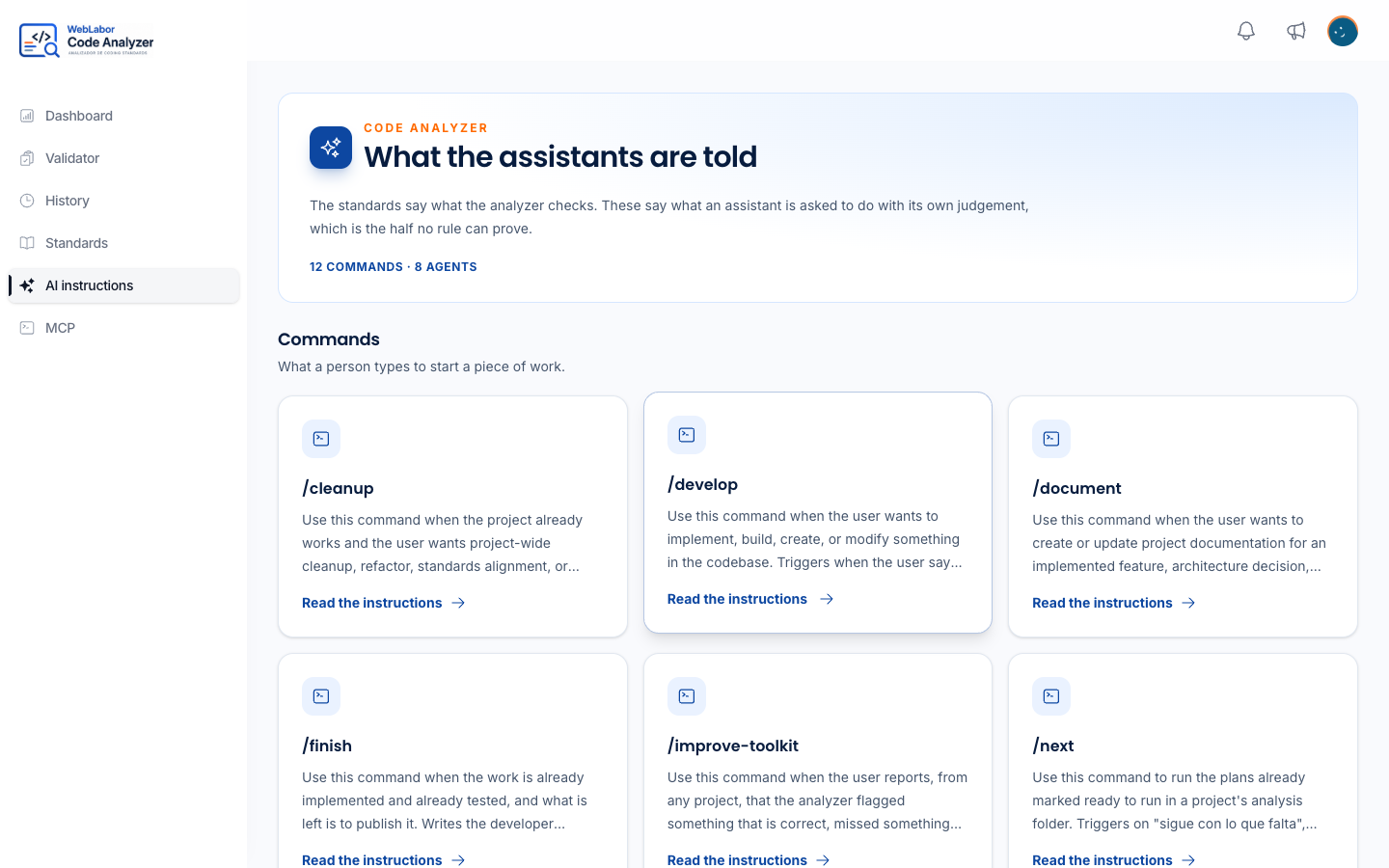
The panel lists every command and every agent under AI instructions in the side menu — the page is titled What the assistants are told — each with the full instructions it runs on, in the language your account is set to. One not translated yet is shown in English, with a notice saying so. That page is the same text your assistant follows, so it is worth opening before you trust a command with something large. Setting the language is in Your profile and language.
Your assistant always receives the English original over the connection, because an agent following a translation would be following a document nobody reviewed.
Next
- How a task travels — what happens between your request and the commit.
- Run the queue with /next — how the plans marked ready are built and checked.
- Write and run an internal command — a command only your project has, built by talking to your assistant.
- The agents behind a command — who each command hands the work to.
- What the analyzer cannot check — the checks that need a person or a command, because no single file proves them.