
Open Space in the sidebar to see how much room your account takes up. The page splits the answer in two — the files you keep and your rows in the database — and lets you clean up the part that usually grows on its own: your activity history.
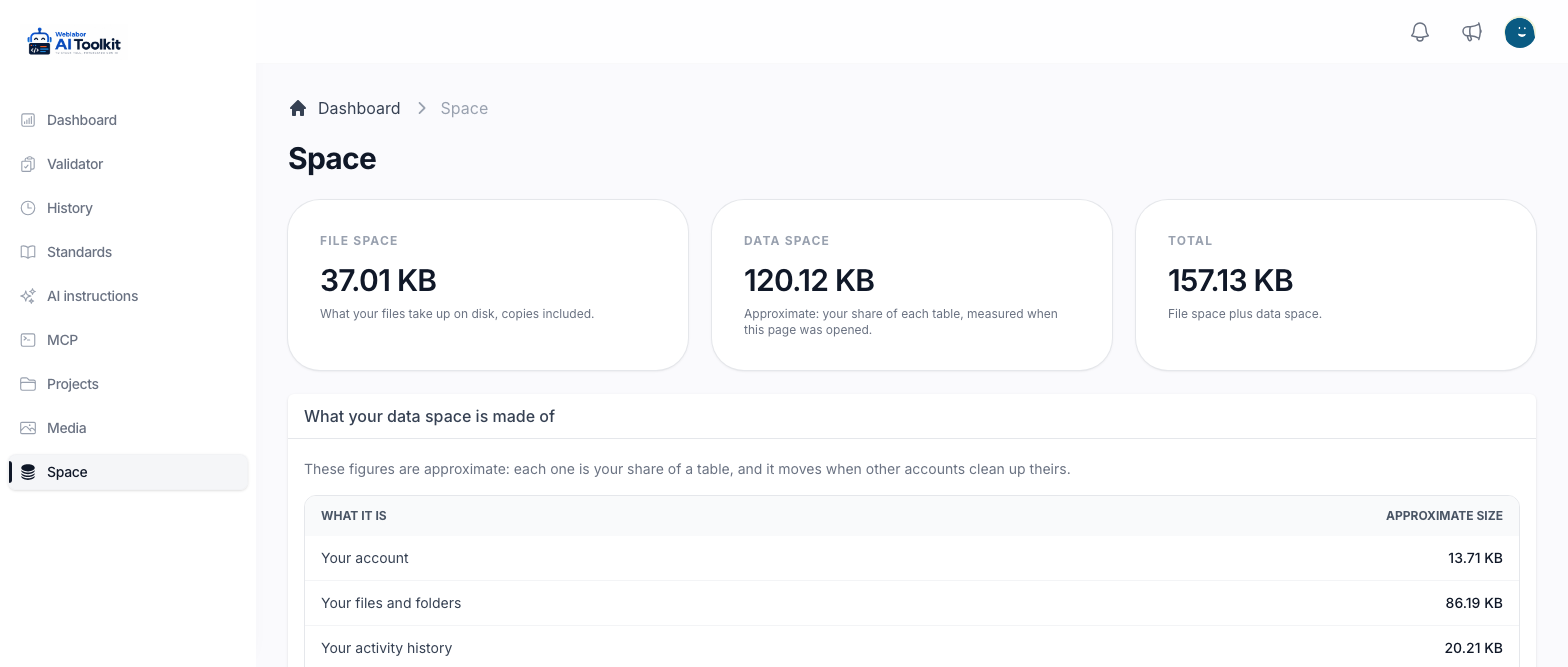
The three cards
File space is what your files take up on disk, copies included. It counts:
- every file in your media library, with the smaller copies made from each image;
- the documents, images and other files of your projects, the ones you see in Projects.
When your account has a space limit, the card reads the files out of it — "40 MB of 100 MB" — and draws a bar under it. From 80% the bar says how much of your space you have used, and once you reach the limit it says You have run out of space and that you can free some up by deleting files you no longer need, or buy more space. With no limit the card shows the size of your files alone.
Data space is an approximate figure for your rows in the database. For each table it takes your share of its size, in proportion to how many of its rows are yours. It is measured when the page is opened, and it moves when other accounts clean up theirs.
Total is file space plus data space.
What your data space is made of
The table under the cards breaks the data space down, each line with its Approximate size:
| What it is | What it holds |
|---|---|
| Your account | Your account itself |
| Your files and folders | The records of your media library, not the files on disk |
| Your activity history | The record of what changed in your account, your folders and your files |
| Your open sessions | The browsers signed in to your account |
| Your notifications | The notifications kept for you |
| Your conversations and messages | Your conversations with an assistant on the site, when there are any |
| Your referrals | The people you referred, when referrals are on |
| Your roles and permissions | The roles and permissions given to your account |
| Everything else you keep | The rest: where your files are used, your browsers' push subscriptions and any referral rewards |
Your validation runs are not part of this table, and the cleanup below does not touch them: they stay in The analysis history.
Clean up your activity history
- Open Space in the sidebar.
- In Clean up your activity history, choose what to remove under Entries to remove: Older than a month (the default), Older than three months, Older than six months, Older than a year or Everything.
- Press Clean up.
The page answers with History cleaned up and the number of entries it removed, or with Nothing to clean up when you had no entries older than the age you picked. The figures on the page are measured again straight away. There is no confirmation step and no way back: the entries removed are gone.
Removing entries recovers the space this page reports. It does not free disk on the server.
The cleanup is refused with History was not cleaned up and the reason while your account is held back — for example, while it has to set a new password or is blocked. The message says what to do first.
Next
- Your media library — deleting the files that take up your file space.
- Your projects and their documents — the project files that also count against it.